Handheld Mobile & Cellular Settings
STEP 1: Close out of the SpotOn App by selecting the circle on the bottom of the screen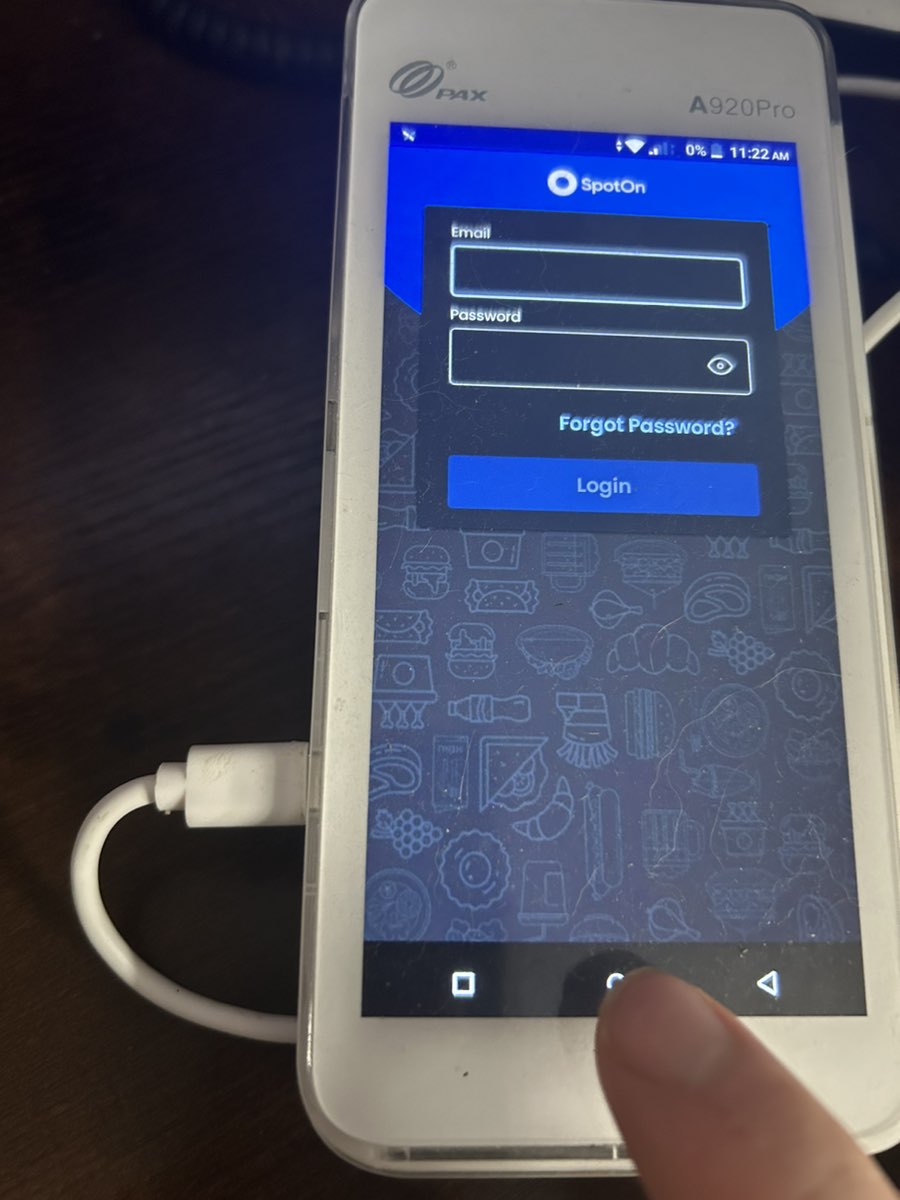
STEP 2: On the home screen, select "Settings."
STEP 3: Under the "Settings" screen, select "Network and Internet."
STEP 4: Select "Mobile Network under the "Settings" screen.
STEP 5: If the "Mobile data" button is green, data is on. Gray means it's off. To ensure cellular data is working correctly, make sure all other options are on, meaning the button is green.
STEP 6: Select the circle at the bottom of the screen to go back to the Home Screen.
STEP 7: Select the SpotOn App to Open SpotOn.
Related Articles
Handheld Network Settings
STEP 1: Close out of the SpotOn App by selecting the circle on the bottom of the screen STEP 2: On the home screen, select "Settings." STEP 3: Under the "Settings" screen, select "Network and Internet." STEP 4: To turn Wi-Fi on or off, select the ...Handheld Wi-Fi
STEP 1: Close out of the SpotOn App by selecting the circle on the bottom of the screen STEP 2: On the home screen, select "Settings." STEP 3: Under the "Settings" screen, select "Network and Internet." STEP 4: To turn Wi-Fi on or off, select the ...Sugar Hill Handheld
Press 0 six times, and then select the blue check mark Type in the above credentials. Email: sugarhillpos@yahoo.com Password: spotonpos Select Sugar Hill Sub & Deli Select Sugar Hill Sub & Deli Again Select A920 1 Now you're back on the main screenTurn off Tip Suggestion On Stand Alone
1. Select "FUNC" and then "Settings" 2. For the Password enter today's date (DD/MM/YYYY) For example 03/31/2024 3. Select System Settings 4. Turn The Tip suggestion Option Off 5. Select the back arrow until you are back at the main screen 6. Select ...How to Change Your Temporary SpotOn Back of House Password
Step 1: Check your email for the temporary password that was sent to your email. It should be from "noreply@spoton.com." You may see the sender as "noreply." If you don't see the email in your Inbox, be sure to check spam also. Step 2: Go to this ...