Turn off Tip Suggestion On Stand Alone
1. Select "FUNC" and then "Settings"
2. For the Password enter today's date (DD/MM/YYYY) For example 03/31/2024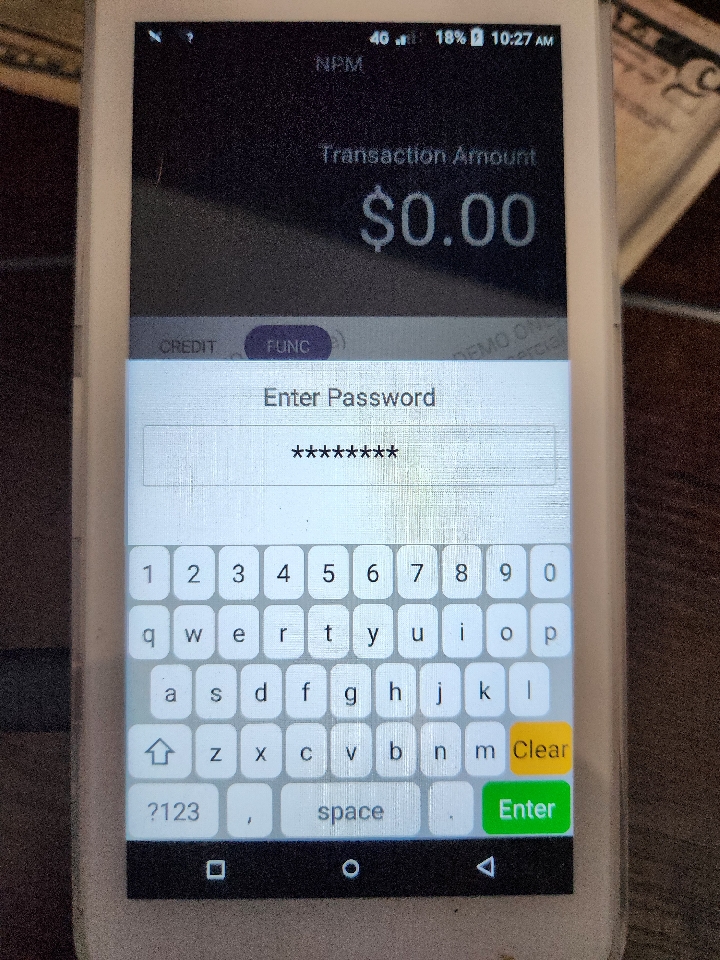
3. Select System Settings
4. Turn The Tip suggestion Option Off
5. Select the back arrow until you are back at the main screen
6. Select Credit to get back the the main screen
Related Articles
Handheld Wi-Fi
STEP 1: Close out of the SpotOn App by selecting the circle on the bottom of the screen STEP 2: On the home screen, select "Settings." STEP 3: Under the "Settings" screen, select "Network and Internet." STEP 4: To turn Wi-Fi on or off, select the ...Start and Close a Tab Using an Attached Card
Starting a Tab Step 1: Swipe the card along the Magnetic Strip Reader located on the side of the computer Step 2: Look for the green notification confirming that the card has been successfully attached. A new order will be opened, and the tab will ...Handheld Network Settings
STEP 1: Close out of the SpotOn App by selecting the circle on the bottom of the screen STEP 2: On the home screen, select "Settings." STEP 3: Under the "Settings" screen, select "Network and Internet." STEP 4: To turn Wi-Fi on or off, select the ...