How to Change Your Temporary SpotOn Back of House Password
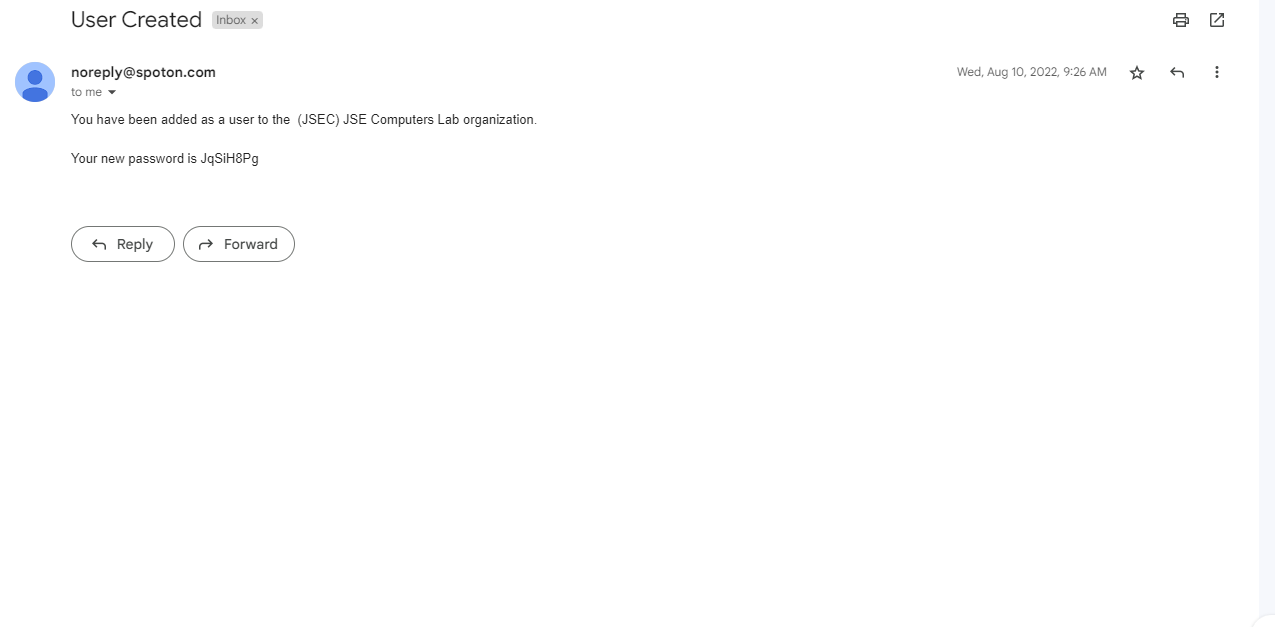
Step 1: Check your email for the temporary password that was sent to your email. It should be from "noreply@spoton.com." You may see the sender as "noreply." If you don't see the email in your Inbox, be sure to check spam also.

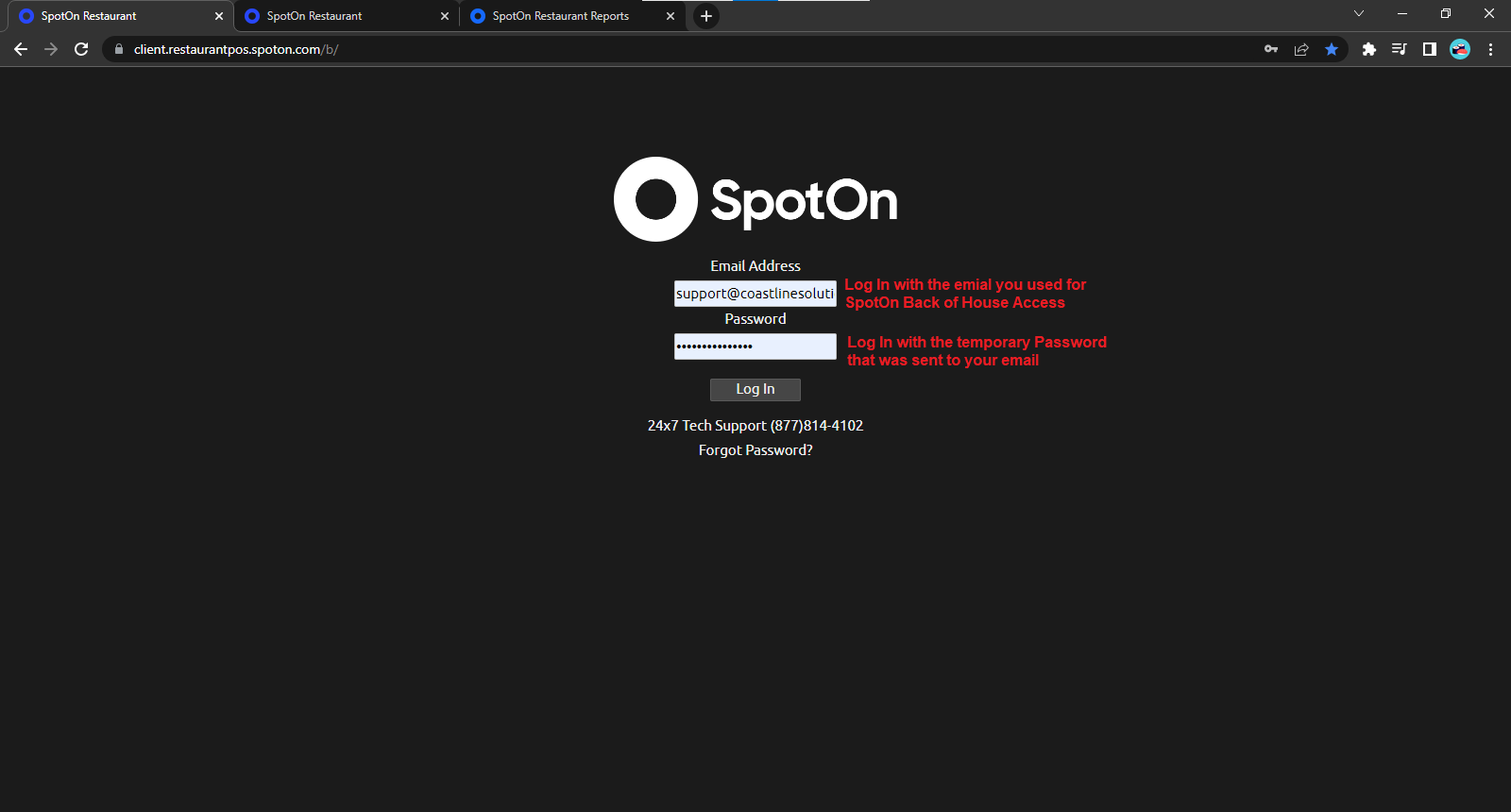
Step 2: Go to this website: client.restaurantpos.spoton.com/b and enter the email associated with SpotOn, along with the temporary password that was sent to the email.
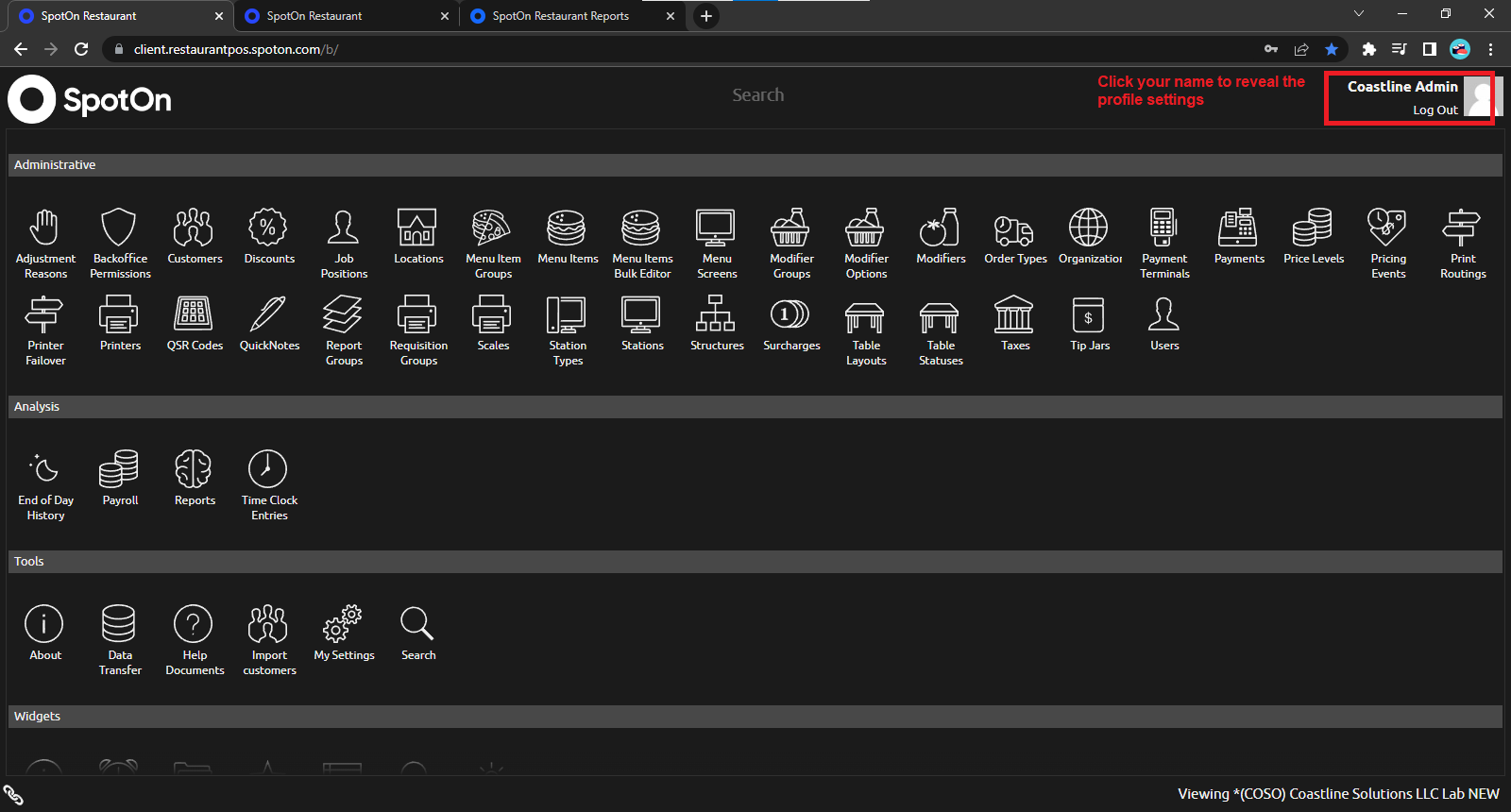
Step 3: After logging in, select your name on the top right to reveal profile settings
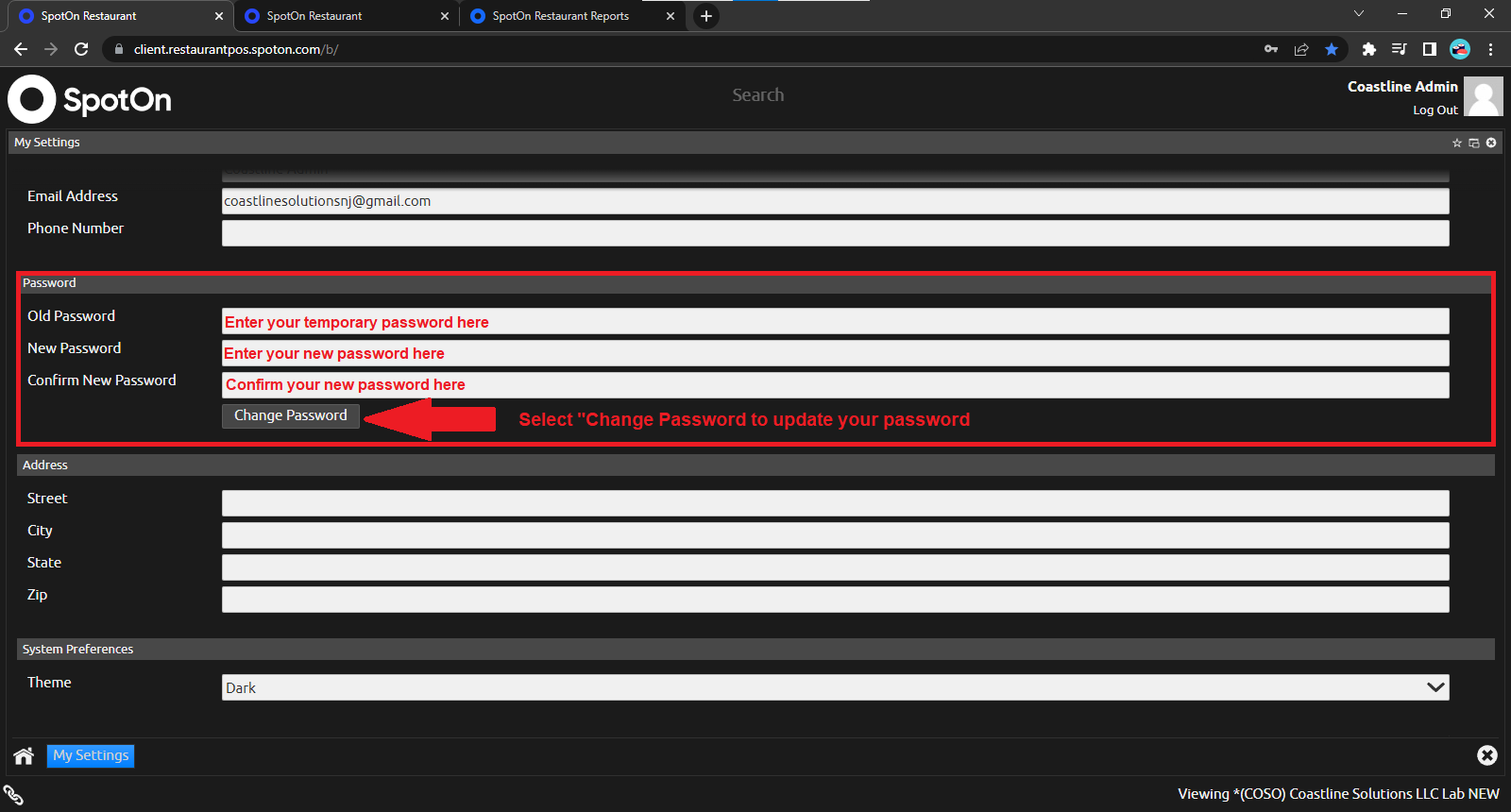
Step 4: Under the "Password" heading enter your temporary password in the "Old Password" field. Then input your new password in the "New Password" field, and in the "Confirm New Password" field. Select "Change Password" to update your password.
Related Articles
Adding An Employee to the Back Of House
1) To add an Employee to the back of the house in SpotOn, First Click on the Users section on the home screen of the Back Of House. 2) Then click the "+" Icon at the bottom of the right side of the screen where the list of current employees are. 3) ...SpotOn Gift Card Contact Information
To Order Gift Cards Email: giftcards@spoton.com The location's Logo will need to be emailed also. Here are the pricing for gift cards 50 cards to 99 cards: $0.85 each +$15 for shipping 100 cards to 499 cards: $0.75 each + $15 for shipping 500 cards ...How to Set Up a POS Station on Your Computer
Step 1: Go to the following website: client.restaurantpos.spoton.com/p and type in your email and password. Select Log In. Step 2: Click on your location name and select 'Next." Step 3: Click on your location name again and select "Next." Step 4: ...Handheld Wi-Fi
STEP 1: Close out of the SpotOn App by selecting the circle on the bottom of the screen STEP 2: On the home screen, select "Settings." STEP 3: Under the "Settings" screen, select "Network and Internet." STEP 4: To turn Wi-Fi on or off, select the ...Handheld Network Settings
STEP 1: Close out of the SpotOn App by selecting the circle on the bottom of the screen STEP 2: On the home screen, select "Settings." STEP 3: Under the "Settings" screen, select "Network and Internet." STEP 4: To turn Wi-Fi on or off, select the ...