Sugar Hill Handheld
Press 0 six times, and then select the blue check mark
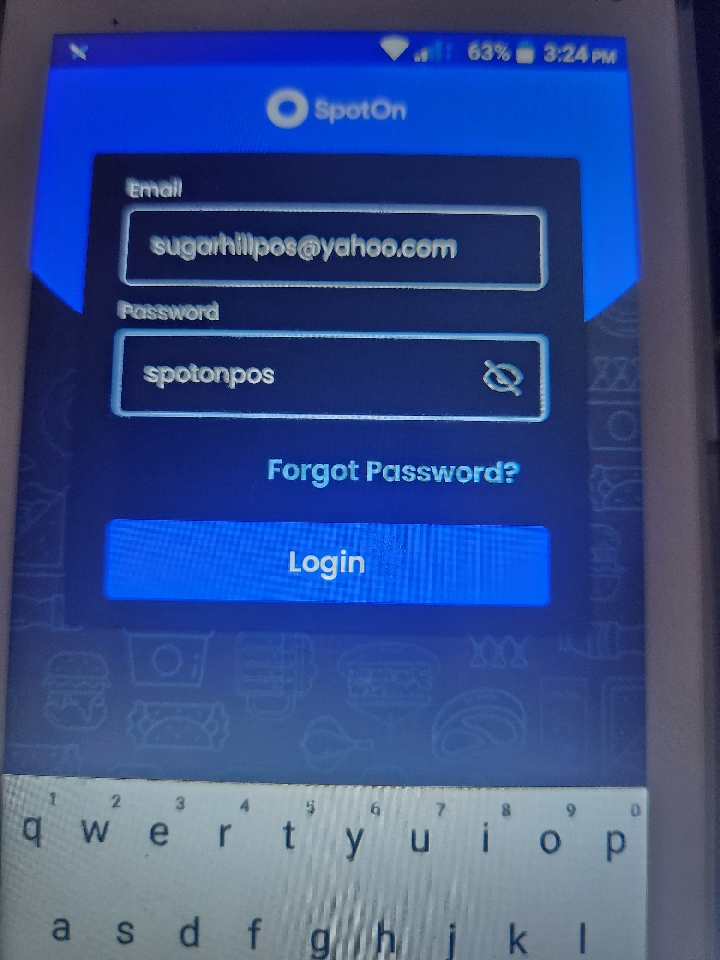
Type in the above credentials.
Type in the above credentials.
Select Sugar Hill Sub & Deli
Select Sugar Hill Sub & Deli Again
Select A920 1
Now you're back on the main screen
Related Articles
Handheld Network Settings
STEP 1: Close out of the SpotOn App by selecting the circle on the bottom of the screen STEP 2: On the home screen, select "Settings." STEP 3: Under the "Settings" screen, select "Network and Internet." STEP 4: To turn Wi-Fi on or off, select the ...Handheld Wi-Fi
STEP 1: Close out of the SpotOn App by selecting the circle on the bottom of the screen STEP 2: On the home screen, select "Settings." STEP 3: Under the "Settings" screen, select "Network and Internet." STEP 4: To turn Wi-Fi on or off, select the ...Handheld Mobile & Cellular Settings
STEP 1: Close out of the SpotOn App by selecting the circle on the bottom of the screen STEP 2: On the home screen, select "Settings." STEP 3: Under the "Settings" screen, select "Network and Internet." STEP 4: Select "Mobile Network under the ...